
See the workflow
From a clothing photo to an editable Vinted listing
Vintly is an independent AI assistant for second-hand sellers. It helps prepare titles, descriptions, item details and a price suggestion from clothing photos. You check the facts and make the final publishing decision.
1. Photograph the item
Take clear, original pictures of the garment and labels so details can be checked.
2. Review an AI draft
Vintly proposes a title, description, details and a starting price based on visible information.
3. Confirm and publish
Correct uncertain fields. The in-app Vinted assistant can help fill supported fields; you publish yourself.
Concrete walkthrough
What a draft looks like
The card is a manually written hypothetical example, not a captured AI result, customer listing or verified Vinted sale. It illustrates the fields you should check instead of inventing an AI success story.
Exact brand, size, condition and price cannot be established from a photograph alone. Check the label, inspect the garment and compare prices before posting.
Suggested title
Blue denim jeans — brand and size to confirm
Category
Jeans
Brand
Check label
Size
Read size tag
Condition
Seller confirms
Price
Compare similar items
Color
Blue (verify in daylight)
Description draft
Blue denim jeans. Confirm brand, labelled size, measurements and any signs of wear before publishing. Describe flaws honestly.
Existing Vintly media
Studio photo comparison
These are existing first-party before-and-after images used on the Vintly website to illustrate its Studio presentation feature. They are not a new measured test, a recorded user session, or evidence of improved sales.
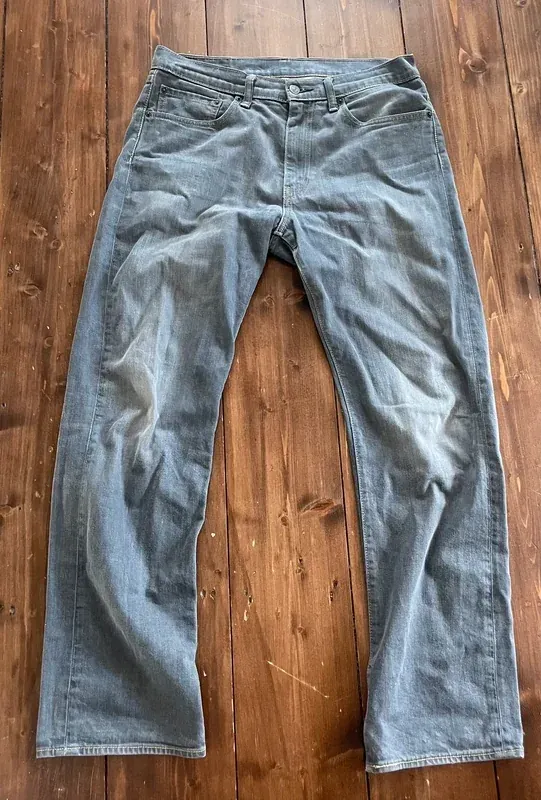 Before
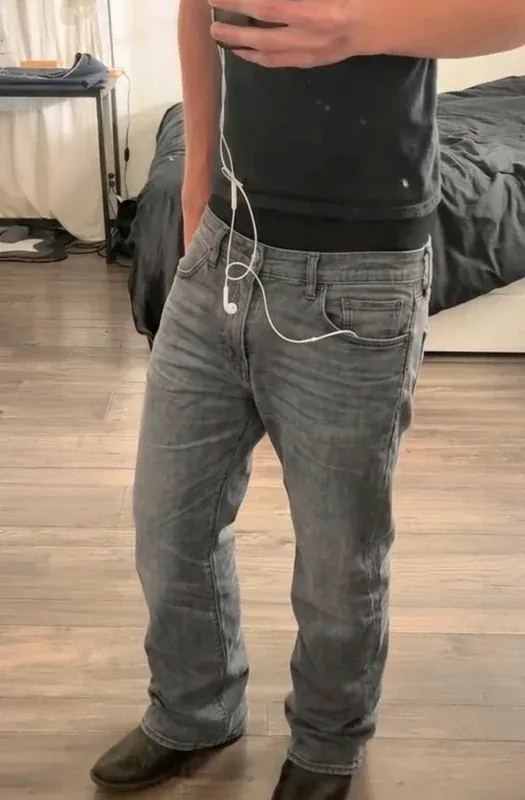 After
AfterImportant distinction
Vinted's catalogue rules require original, unedited photographs of the actual item for its listings. Do not upload enhanced or AI-generated images as Vinted listing photographs merely because Vintly can create them. Studio is a separate presentation tool; always follow the rules of the marketplace where you publish.
Vinted catalogue rulesWhat the app helps with
- • Analysing an uploaded clothing photo to propose editable listing fields.
- • Suggesting a starting resale price that the seller verifies.
- • Assisting with supported Vinted form fields inside the app.
- • Providing optional seller dashboard and photo tools.
What it does not promise
- • No guaranteed sale, ranking improvement or resale price.
- • No unattended posting: you make the final publish decision.
- • No guaranteed identification of brand, size or condition from photos.
- • No official affiliation with, or endorsement by, Vinted.
Test Vintly on your own item
See how the photo-based assistant works in the native app. The onboarding demonstration is free; paid access and any eligible trial are explained before purchase.
Explore Vintly